For each phone, you can create a contacts list.
1. From the Phones view, select Phone Settings > Phone Contacts
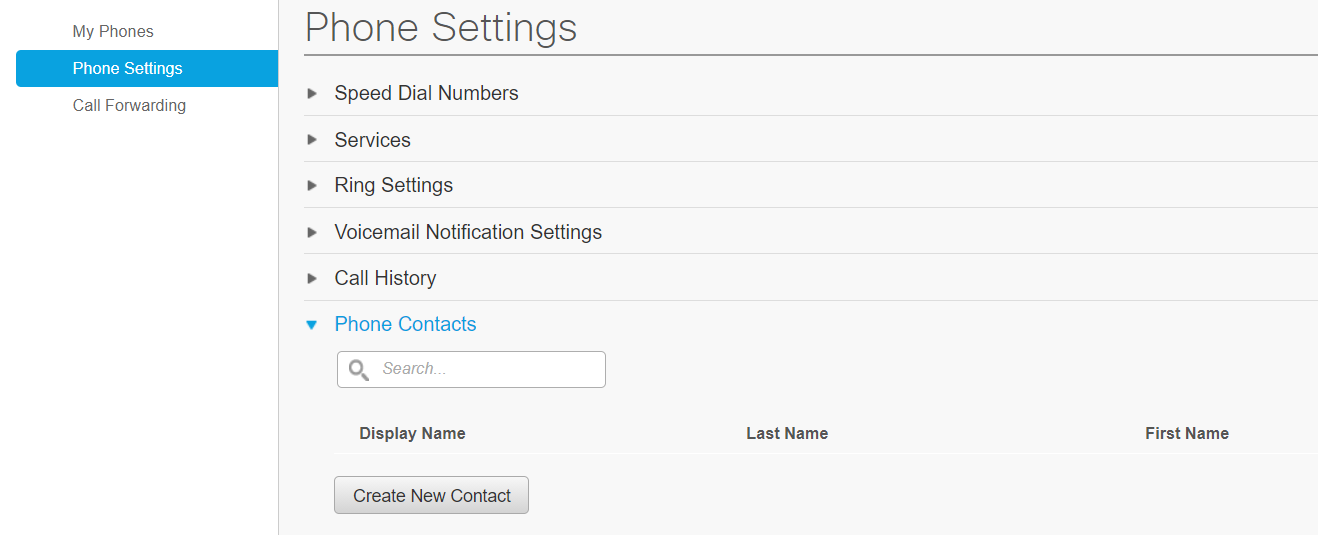
2. Click on Create New Contact
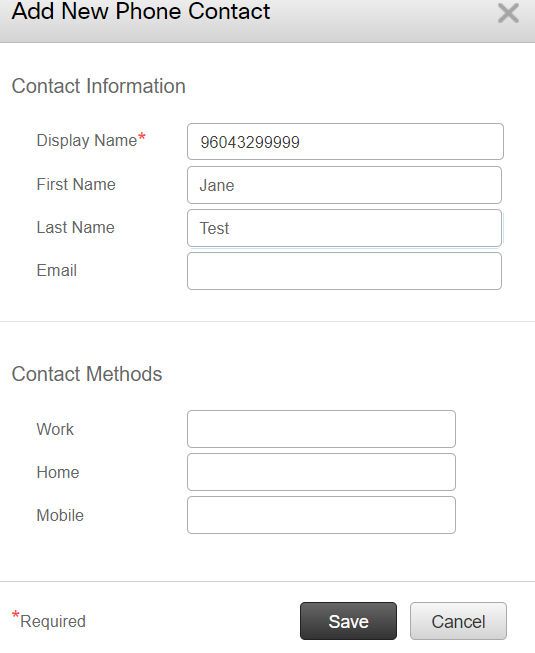
3. Enter the phone number in the Display Name field > First Name > Last Name. This will allow the phone number to show in the Contact list.
- phone number must begin with a 9
- no spaces or characters in the number
3. You can now see both the name and phone number in the list view.

TIP: You can copy and paste the phone number from here to quickly add to the call forwarding feature. Jump to the Call Forwarding article.