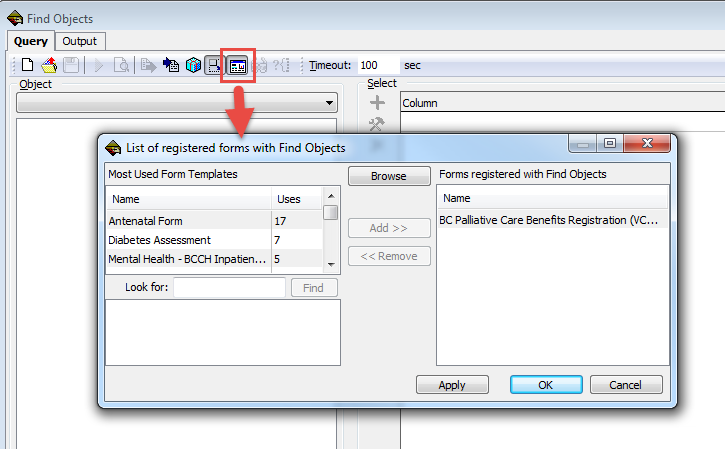
In Find Objects, select “Maintain list of registered forms” – this opens the list
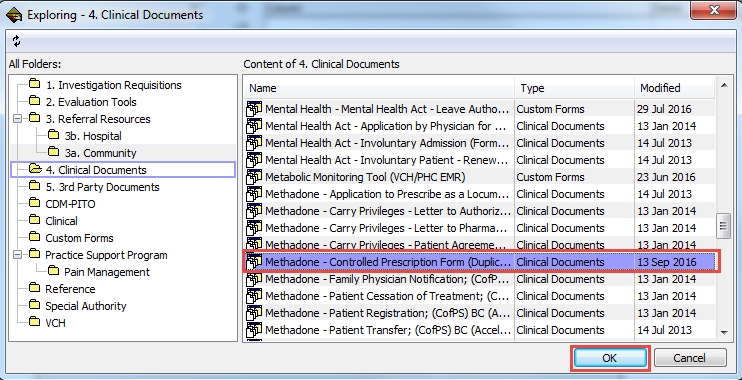
Browse for the desired form and click OK to add
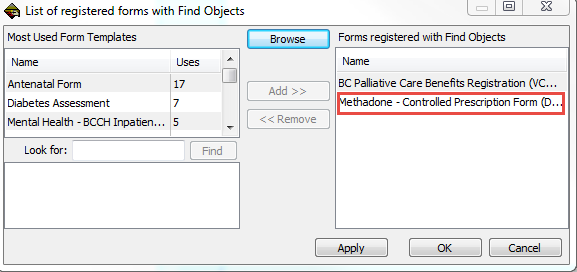
The form has been added to the list. Click “Apply” if you want to register more forms or “OK” to close window
You now have a “Form (Registered)” Object available. Note that 2 variations of the form are added.
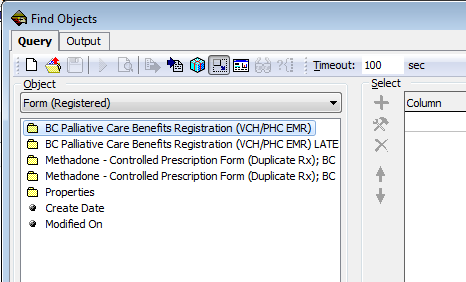
“LATEST” will only show the latest form created for the client.
The other version will show all previous forms. Usually the clinicians want to see all previous forms.