Problem
There is a Get Checked Online (QQQ) client record in Profile EMR that is currently linked to a PARIS record (nominal client). We have implemented code in the Client Registration Form so that when a QQQ record is created in Profile, it does not flow up to PARIS. In this specific case, it looks like it was a historic record created back in 2018 before we implemented the code.
Background
QQQ clients are non-nominal clients that are a part of the BCCDC’s Get Checked Online program. This naming convention has only been approved by Health Information Management (HIM) for use by BCCDC CPS POS. When the client signs up for the Get Checked Online program, they get a unique QQ ID (ex. QQ123456) that they can use to get tested anonymously for STIs.
These clients are registered with a “Get Checked Online” client record type (only members of the CPS POS can choose this option). The client must be registered with their QQ ID as their Administrative First and Last Name.
Client Registration Form fields:
- Administrative Last Name: QQ######
- Administrative First Name: QQ######
- Last Name to Use: QQ######
- First Name to Use: QQQLastName,FirstName
- Alias Last Name: QQQLastName
- Alias First Name: FirstName
- DOB: (mandatory)
- Client Record Type: Get checked online
- Administrative Sex: (mandatory)
We implemented code in the Client Registration Form to block Get Checked Online clients from flowing up to PARIS.

Solution
- Get approval from Health Information Management (HIM) team:
- To: Chan, Sharon [VCH] <Sharon.Chan@vch.ca> and Sandhu, Harvinder [PH] <HSandhu2@providencehealth.bc.ca>
- Message:
We would like to unlink a QQQ client in Profile EMR from the corresponding PARIS record.
Let me know if there is any issue with removing the linkage between the two records.
- Run UPDATEQQQONEPAT macro to remove PID from EMR record (see JIRA EMR-2539)
- Validated and previously-successful macro from DMT208567
- Changes Client Record Type to Get Checked Online
- Removes PARIS ID
- Steps:
- Log in as SYS-ADMIN
- Launch Macro List (Maintain > Templates > Macros...)
- Double click UPDATEQQQONEPAT macro

- Click on green arrow to run macro
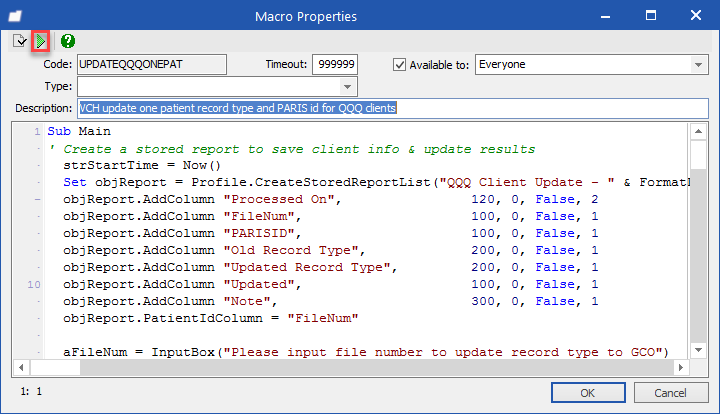
- Input file number
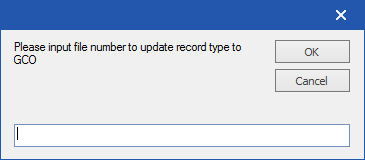
- You will get update done notification
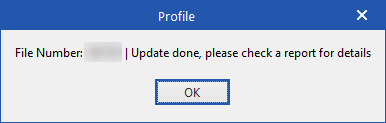
- Go to Report > Stored Report > Open ‘QQQ Client Update - <Date & Time>’
Verify update is successful:
Old Record Type: Nominal
Updated Record Type: Get checked online
Note: Updated Record Type (GCO), Removed PARIS ID
Solution
-
-
- Login as SYS-ADMIN to BCCDC CPS POS
- Launch Client Registration
- Search by File Number
- Note:
- PARIS ID field blank
- Client Record Type: Get Checked Online
IMPORTANT: If your POS is not BCCDC CPS, Client Record Type will show as Nominal in the Client Registration window
-