Problem
Sometimes when CSCs try to submit a claim, they get a message asking for the Teleplan password: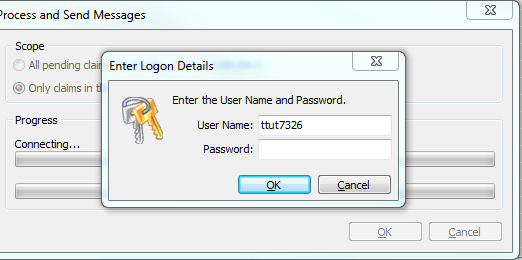
Analysis
The Teleplan password is updated every month by the SA Team. Before contacting the SA Team, follow the below steps first.
Sometimes this message appears when the Teleplan server is busy. The remedy is to try again later, or early in the day, when the server is hopefully less busy.
To confirm if there is a problem with accessing Teleplan,
1. Go to Control Centre / Billing and perform a client verification on one of the clients with a green checkmark. If the verification is successful, the problem may be that the server was busy when the user tried to access it.


Solution
If verification cannot be performed and an error message displays, then it is a more general problem and SA team needs to check the password, or Teleplan could have a problem.