Table of Contents
Title
Text
Bullets
Pictures
Settings
Table of Contents
1. Create your headings first. Then create your table of contents using the link function.
2. Table of Contents should be single-spaced. To remove paragraph spacing, Delete then SHIFT + ENTER.
Title
1. Avoid 'how to' or 'steps' - this is already a help article.
2. Use simple verbs instead of gerunds (e.g. ‘find’ not finding).
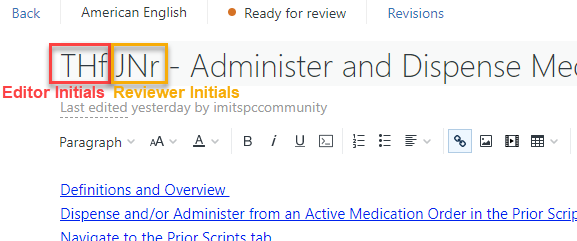
3. Add your initials to the title when you're working on it.
Text
1. Paste without formatting (keyboard shortcut: Ctrl + shift + V) and then format within Zendesk
2. Avoid “quotations” for actions, bold the action instead (e.g. click the Save button, not click “Save”)
3. Main headings (Heading 2 style) and Subheadings (Heading 3 style)
4. Use the term User Help instead of Zendesk
5. Try to match ImmsBC article formatting to the ImmsBC bulletins: Italicize any field names, bold any buttons/functions/sections that need to be found in the system
Bullets
1. Use simple text to type 1. 2. 3. for steps
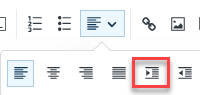
2. Secondary level text can use the bullet function or type a. b. c. and then indent
Pictures
1. Best practice is to upload to image gallery first to avoid broken picture links.
2. Once saved in image gallery, you can move images around in the article.
Settings
1. Change to Everyone for the Visible to setting
2. (Optional) Uncheck Open for comments - by default, the site does not have comments enabled
3. You can schedule articles to publish later