1. Ask your lead which assignment groups you should have access to. These groups are the systems you will need to view/manage incidents. See article on Assignment Groups here.
2. Email a request for access with these assignment groups to the administrator. Administrator contact information can be found in your Employee Orientation checklist > New Member Task Tracking.
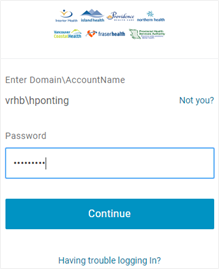
3. When you are connected to the network (VPN), go to https://healthbc.onelogin.com/portal/
4. Domain\AccountName and Password is the same as your Windows login credentials.
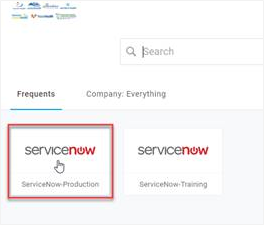
5. Click on ServiceNow-Production.
6. Your Home dashboard will appear.
If you are having issues with access, let your manager or lead know.