Problem
If you enter an incorrect or invalid path into Scan Processor in EMR, sometimes there is no way to reverse the action and enter the correct path instead. You are stuck in a loop. Even closing your EMR session and re-login to EMR doesn't work in some occasions.
Solution
To fix this problem. Login to EMR with sys admin account and follow the steps:
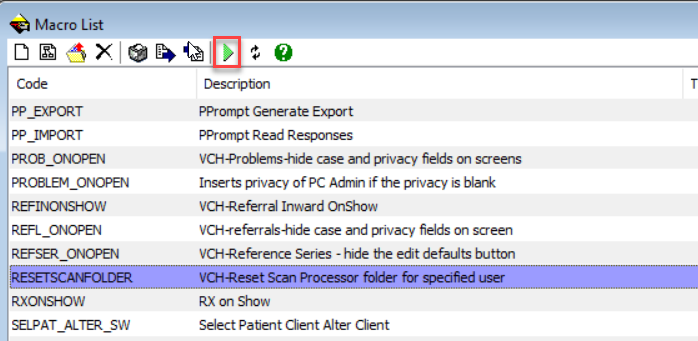
1. Go to Maintain>Templates>Macros... and find the Code RESETSCANFOLDER on the list.
2. Run Macro.
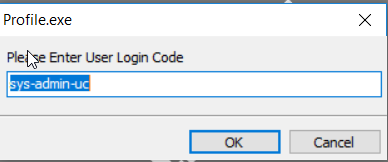
3. Enter the username to reset settings and click OK.
Next time the user logs in, the issue will be fixed and the correct path can be entered in Scan Processor.