Change your incident to resolve when the issue has been solved for the user. You do not need to close an incident. Once an incident has been resolved, the user can manually close the ticket or the system will auto close after 7 days. Follow these steps to resolve an incident.
1. To open the incident, click on the date and time that is hyperlinked.

2. Click Resolve.

3. Scroll down and click on the Closure Information tab. Complete all of the fields that are mandatory.
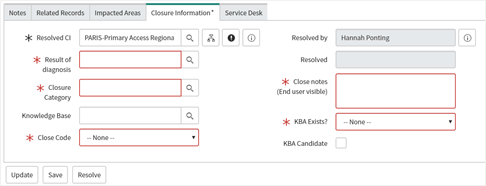
4. Resolve when finished.
This incident will now be seen in your filter that shows resolved incidents.