Whenever you receive an issue and it is not already recorded as an incident, you will need to create one. To create a new incident, follow these steps:
1. Search incidents to ensure one has not already been created for this issue and user.
2. If the incident does not exist, click  on to create a new incident.
3. Complete the applicable fields. Mandatory fields are recognized with 
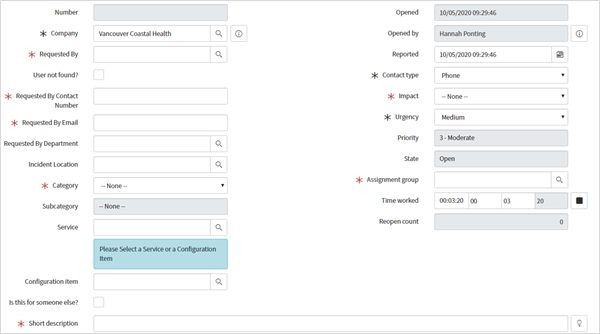
4. Optional. Add attachments if you have screenshots or any other supporting documents/images.

5. When you are finished creating the incident, you can either Submit, Save or Resolve.

- Submit. This saves the record and returns you to the incident list screen.
- Save. This saves the incident and you remain on this screen.
- Resolve. This resolves the incident.
6. Your incident will now be seen in the applicable incident list based on your filters.