Assign Issue to CSSE or Analyst
Estimate the Work
Assign Issue to CSSE or Analyst
- Select the issue that needs a resource assigned.
- Click Assign.

- A pop-up window will open. You can assign the issue by selecting the CSSE or analyst in the drop-down list in the Assignee field.
- You may choose the option of Assign to me if you want the issue to be assigned to yourself.
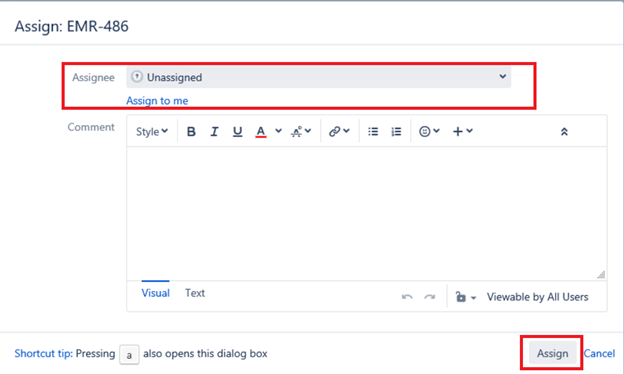
- Click Assign.
Estimate the Work (Set Points Set)
- Select/Open the relevant issue.
- Click Edit.
- A pop-up window will open. Scroll down till you can see the field Story Points Set.
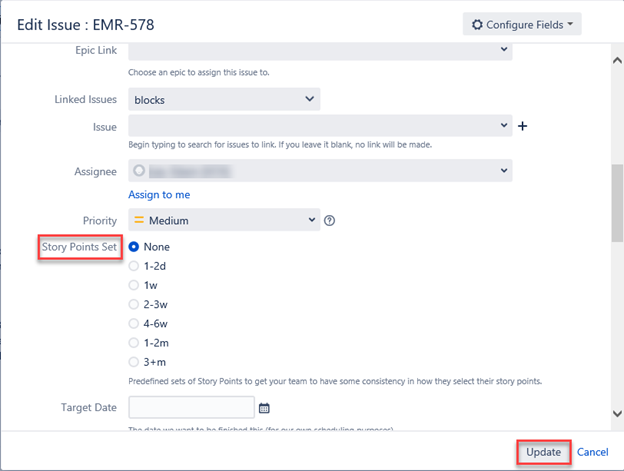
- You can select the Story Points Set to estimate work.
- Click Update to save changes.