Subscribe to this filter to receive an email notification when the Start Date for an issue you are assigned to is reached. Instructions:
1. Issues > Manage Filters
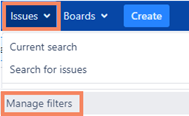
2.Search > Start Date Alert > Subscribe

3. Set interval to arrive daily at beginning of shift (or time of preference)
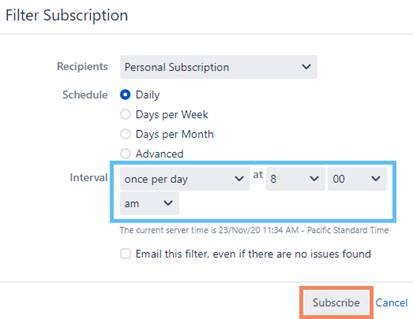
4. Done. You will only receive an email notification when an issue is both assigned to you and it’s Start Date is today’s date.