Create an Issue
1. Click Create in the Menu Bar
2. A pop-up window will open
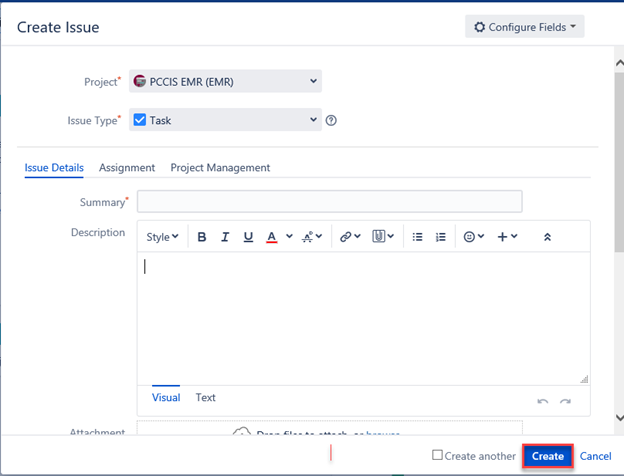
3. Select Issue Type (Story/Task/Epic)
4. Enter your Description in the Description field.
5. Select Component
6. Select Workstream (if required)
7. Scroll to Top and click on Assignment
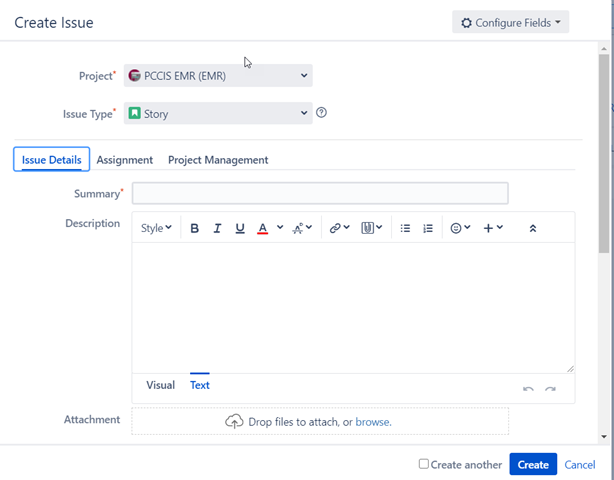
8. Click on Priority (Select appropriate field)
9. Click on Project Management
10. Select Urgency
11. Select Impact
12. Add Requestor Contact Information (if required)
13. Click on Create and you will get Key # (use this to match your workitem folder)
14. Item will now be in Triage Board or can be searched via the Key # or Summary using either the search button on the top right or select Issues in the Tool bar (scroll down to Search for Issues).
Edit an Issue
1. Select/Open the issue that needs to be edited.
2. Click Edit.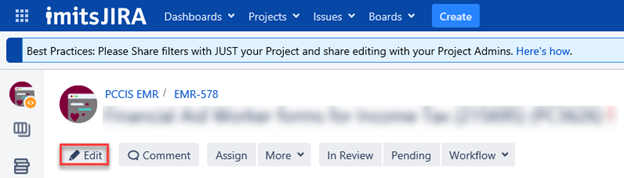
3. A pop-up window will open.
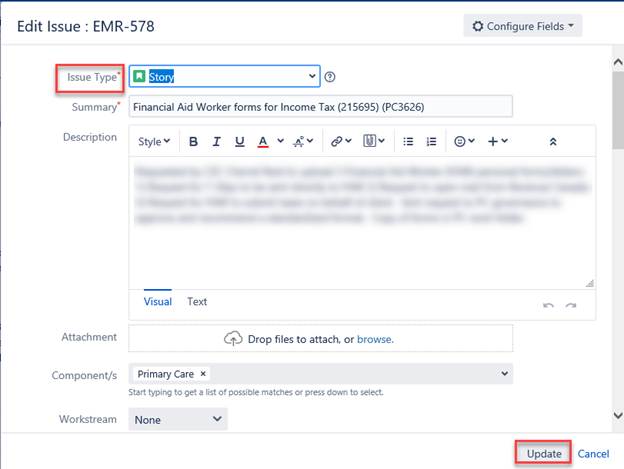
4. Edit the Issue
5. Click Update.
Start Watching an Issue
1. Select the Issue.
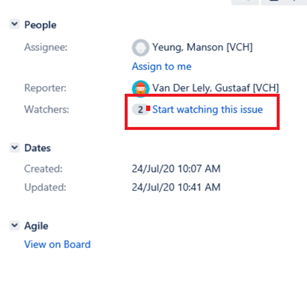
2. Click on the link Start Watching an Issue on the right hand side under the Peoples Section.