Email Notifications
Autowatch Setting
The default preference settings are suitable for most teams. However, if you want to update preferences, you may do it in the following way.
Email Notifications
- Click on the Profile button on the right hand side the JIRA homepage
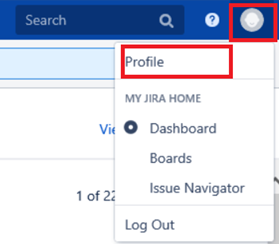
- Scroll down to the Preferences Section. Click on the pencil icon on the right hand side to edit it.
- You may change My Change Settings to Notify Me. Default: Do not notify me
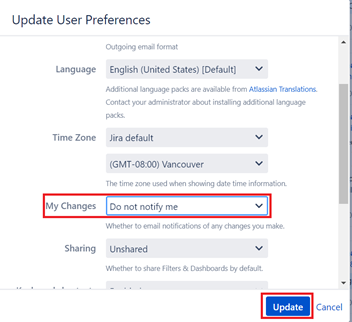
- Click Update.
Autowatch Setting
Automatically adds you a watcher when you create or comment on an issues. Default setting is Inherit Global Settings (Enabled)
- Click on the Profile button on the right hand side the JIRA homepage
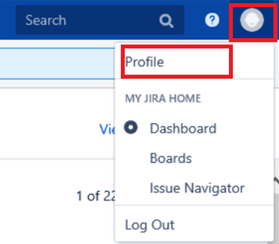
- Scroll down to the Preferences Section. Click on the pencil icon on the right hand side to edit it.
- Edit field Autowatch. This automatically adds you a watcher when you create on or comment on issues.
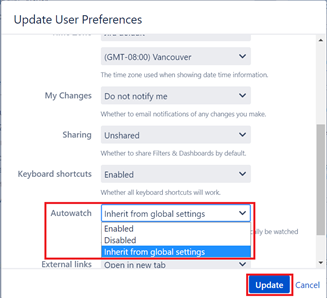
- Click Update.